
For solo practices
Software for a solo veterinary practice: one person, the whole day
VetBis is built for practices where one vet is also the receptionist and the cashier. Appointments, exam records, prescriptions and payment live in the same patient record, so nothing you type is typed again at the next step. It runs in the browser; there is no server to install.
A sample day
09:00 · Appointment
Check-up visit
10:30 · Exam
Notes go to the record
11:00 · Prescription
Comes from the exam
11:15 · Payment
Same screen
Times and patient details are fictional.
One person, one day: from the first appointment to closing
Scroll to follow one patient through the practice. The software's job is to keep the work connected: what you write once is not written again at the next step.
Products running low
3
Sample data
Collected today
TRY 4,850.00
Sample data
Names, times and amounts on screen are sample data.
Steps
- 1Morning: today's listThe calendar shows incoming patients in time order. When you book by phone you look up the owner and patient, or add them on the spot.
- 2Exam: record as you goComplaint, findings and treatment plan are written to the patient's file. Past exams and vaccination records are in the same file.
- 3Prescription: from the same recordDrugs and procedures you used move from the exam record to the prescription. You print it and the record stays in the patient's history.
- 4Payment: on the same screenProcedures and products used become the bill. You record the payment; any open balance appears on the owner's account.
- 5Closing: cash and stockDrugs and supplies used leave stock. You see cash movements and low-stock products before you close the day.

Starter scope: one branch, a small team
Solo practices usually start on the Starter plan: one branch and a team of up to five users. The 7-day trial covers every module and additional feature.
- Patient and owner records, appointments, exams and prescriptions, basic billing and stock are in this plan.
- Laboratory, surgery and inpatient modules are in every plan, Starter included; plans differ by branch, user and storage limits and by a few additional features (for example advanced inventory, advanced reporting, the loyalty program).
- Plans, limits and current prices are on the pricing page.
Set up with a single user
A solo practice does not need an IT team to get started. VetBis runs in the browser and there is no server to install.
Open the account and define the clinic
Sign up for the free trial and add the clinic name, working hours and service prices. No credit card is required.
Bring in your existing records
Import the owner and patient records you keep in Excel or another program with the import wizard. The migration page explains the steps.
Receive the first patient
Open an appointment, enter the exam record, issue the prescription, take payment. Running one patient through the whole flow is the fastest way to learn it.
From prescription to payment, the paperwork is ready
The practice's paper documents come from the same record.

The prescription comes from the exam record
Drugs and procedures you used move from the exam record to the prescription. You reuse your common exam format as a template.
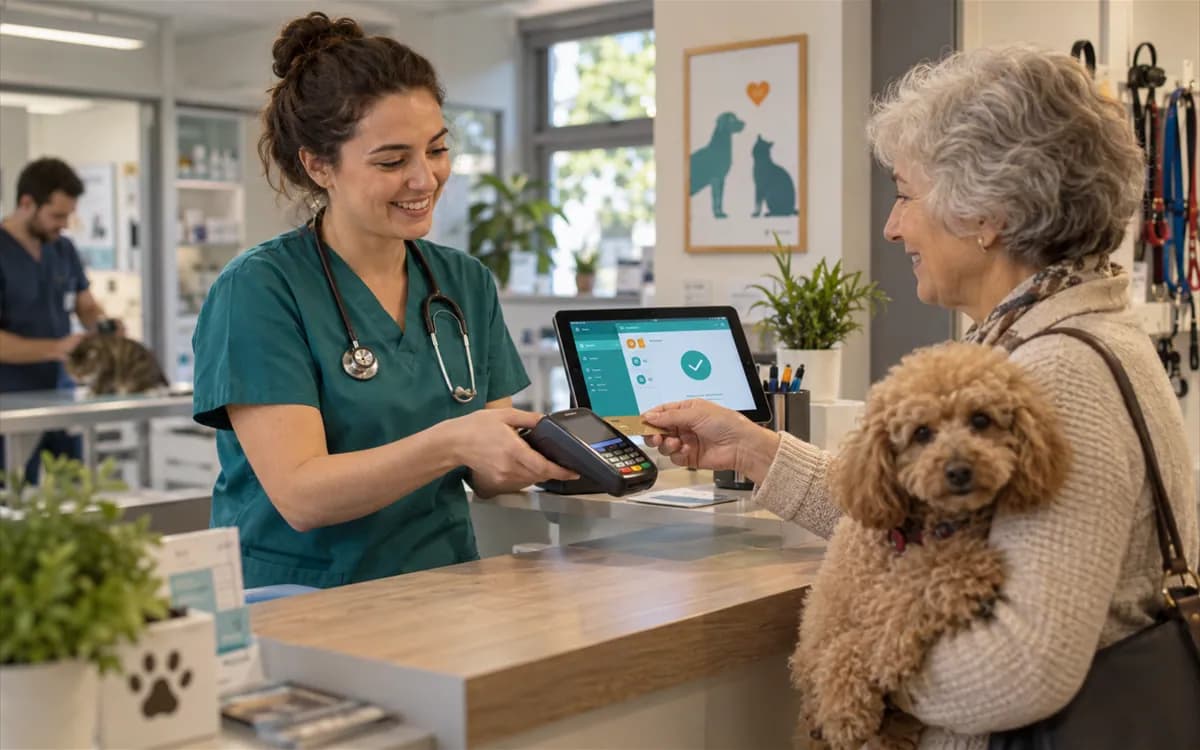
Payment on the same screen
The work you did becomes the bill and the payment is recorded. You follow cash, card and open-account movements without a separate ledger.
Print templates
Consent forms, prescriptions and invoices are prepared with your practice details; you print them or keep them as PDF.
Key modules for a solo practice
Veterinary patient management
Patient and owner records, vaccination history and notes.
Veterinary appointment software
Calendar, waiting room and appointment statuses.
Veterinary exam software
Exam record, treatment plan and prescription.
Cash desk and collections
Cash, card and open-account movements.
Forms and print templates
Consent form, prescription and invoice printouts.
Veterinary inventory software
Drug stock, expiry dates and suppliers.
Frequently asked questions
Most solo practices start on Starter: patient and owner management, appointments, exams and prescriptions, basic billing and stock are included. Laboratory, surgery and inpatient modules are in every plan too; plans differ by limits and by the scope of a few additional features (advanced inventory, advanced reporting, the loyalty program, e-commerce, the AI assistant).
VetBis runs in the browser and opens on any device with an internet connection. Offline use is not supported, so your practice needs an internet connection.
You can import owner and patient records from an Excel or CSV file with the import wizard, which offers column mapping, a preview and row validation. The migration page walks through the process.
Vaccination planning and tracking, and smart (vaccination and appointment) reminder records, work in every plan; you see upcoming and overdue vaccines in lists. Sending reminders by SMS or WhatsApp needs a provider connection and is not open yet.
You use the product free for 7 days and no credit card is required. At the end you choose a plan. Details are on the pricing page.
You can write to the support team through the help center and the contact page.
Try a day of your practice in VetBis
Open an account, create a patient record and run the whole flow from appointment to payment with your own data. Free for 7 days, no credit card required.