
Skip to content
VetBis

Forms, consent and print templates

Digital veterinary consent forms and print templates

VetBis brings digital consent forms, dynamic form templates and print templates into the clinic management software. Consent status and validity are recorded; prescriptions, vaccination cards and health reports print from ready-made templates you adapt to your clinic.

Surgery consent form

Patient
Pati (sample)
Consent type
Surgery
Status
Signed
Approved

Prescription

Patient
Pati (sample)
Medicine
Sample medicine
Vet
Dr. Sample

Vaccination card

Patient
Pati (sample)
Vaccine
Sample vaccine
Date
Sample date

Invoice

Service
Examination
Amount
Sample amount

Live flowInvoice 4 / 4

Steps

  1. 1Consent form
  2. 2Prescription
  3. 3Vaccination card
  4. 4Invoice

Sample screen: all information is fictional.

Pet owner signing a pre-surgery consent document

Consent status is recorded: pending, signed, declined, expired

A consent is opened with patient and owner details; types cover surgery, treatment, anaesthesia, euthanasia, data protection, pet hotel and pet grooming. A consent can have a validity period, and its status is tracked in the patient file.

Consent types

  • Surgery
  • Treatment
  • Anaesthesia
  • Euthanasia
  • Data protection
  • Pet hotel
  • Pet grooming
Live flow

From template to consent, from consent to print

A form template fills with patient details, the consent status is recorded and the document prints with a print template.

Clinic
Sample Veterinary Clinic
Patient
Pati (sample)
Owner
Sample Owner
Vet
[empty field]
A field without data stays visible.

Live flowSafe print 5 / 5

Steps

  1. 1Form templateThe fields of a template prepared with its category are empty.
  2. 2Filled formFields fill with patient, owner and exam details; the form is linked to the patient.
  3. 3Consent statusWhen the consent is signed its status updates; the validity period is tracked.
  4. 4Print templateThe print template carries patient, owner, clinic and vet fields as placeholders.
  5. 5Safe printEntered values are written safely; a field without data is not silently dropped, it stays visibly empty.

Sample screen: all information is fictional.

Form, consent and template capabilities

Three separate jobs come together in one document logic.

  • Female veterinarian editing a form template on screen

    Dynamic form templates

    Create a form template with a name and category. When the template is updated a new version is published; forms already filled do not change.
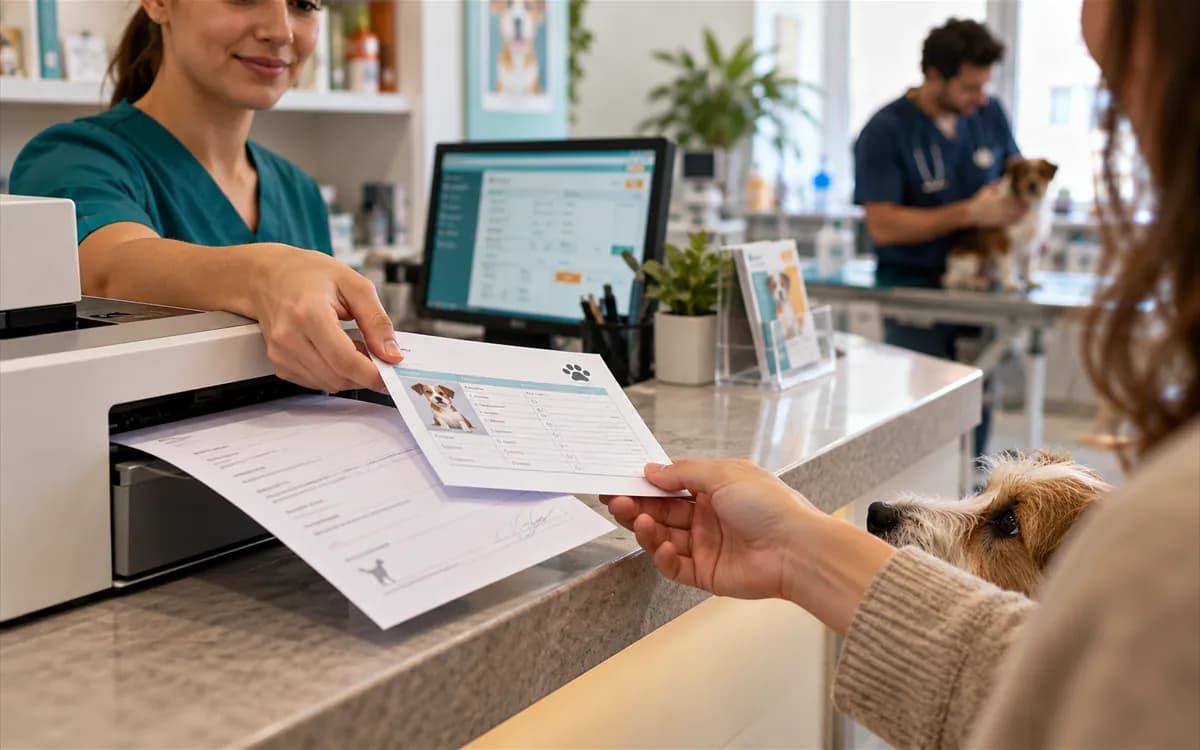
  • Vaccine card and prescription coming out of a printer

    Ready-made print templates

    Ready templates for prescription, vaccination card, consent form, data protection notice and explicit consent, health report, discharge summary, invoice, sales receipt and label.

Filled forms
Forms are linked to the patient, the owner and the exam, and the entered data is stored.
Digital consent
Consent types for surgery, treatment, anaesthesia, euthanasia, data protection, pet hotel and pet grooming. A consent opens as pending; it is signed, declined or expires; a validity period can be set.
Clinic-specific templates
Copy a ready template, change its name, paper size and content. You can also start a custom type from scratch.
Field filling
Fields such as patient name, owner name and clinic name fill with patient, owner, clinic, vet and date details when you print. Entered values are written safely, and a field without data is not dropped but stays visible.
Preview and default choice
Preview before printing. Make one template the default for each type and retire the ones you no longer use.
Printing on mobile
Printouts can also be produced from the mobile clinic app. The mobile app is in beta.
Pet owner signing a consent form on a tablet

What changes in the clinic

Consent is found from the patient record
The consent sits in the patient's file instead of a paper folder. Staff reach it by date and type.
Consent status is tracked
Pending, signed, declined and expired states are recorded; a validity period can be set.
Every printout looks the same
Clinic name, address, phone and vet details come from the template. Prescriptions and vaccination cards come out in the same layout every time.
A missing field is noticed
A field without data stays visible in the template; a half-filled printout is not silently produced.
Form versions are tracked
When a template is updated a new version is published, and forms already filled keep their data unchanged.

Frequently asked questions

A consent opens as pending; its status updates when it is signed, declined or expires. A validity period can also be set for a consent.

Surgery, treatment, anaesthesia, euthanasia, privacy (KVKK), pet boarding and pet grooming. A consent opens as pending and is then signed, declined or expired.

Yes. Copy a ready-made template and change its name, paper size and content. Set one template as the default for each type and retire the ones you do not use.

Prescription, vaccine card, consent form, privacy notice and explicit consent, health certificate, discharge summary, invoice, sale receipt and label.

No. It does not include a qualified e-signature certificate or notary verification; the consent record is for in-clinic traceability.

No. Updating a template publishes a new version. Forms filled in earlier are kept with their own data.

Bring your consent and printouts into one standard

Start free