

Notifications · Integration pending
Veterinary SMS and vaccine reminder system
In VetBis, reminder rules, message templates and per-channel consent for vaccination tracking and appointments are ready today. The SMS (Netgsm), email (Resend) and WhatsApp (the clinic's own Meta account) adapters are in place; delivery works once the platform key or the clinic's account is configured, and until then no message is sent. There is no push provider. We show what is ready and what is waiting, side by side, below.
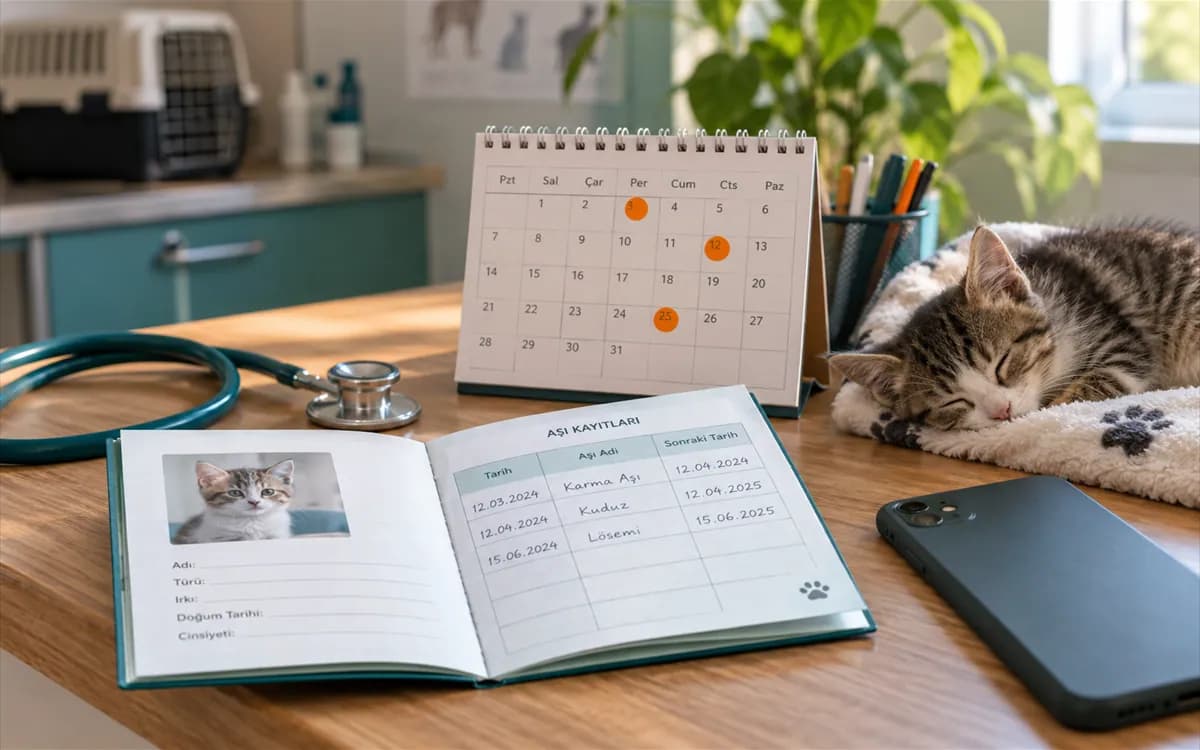
Vaccine reminder for Bella
Core vaccine · 3 days left
SampleSMS · waiting for provider
Messages are not sent yet
In preparationRule, template, consent and queue: how a reminder is prepared today
When a vaccine date approaches, the rule fires, the template is filled, channel consent is checked and the message enters the queue. The last link of the chain is deliberately not "Sent": until a provider is connected, no message leaves the system.
Reminder draft
- Rule
- 3 days before the vaccine date
- Template
- Bella's core vaccine is coming up. Call the clinic to book a visit.
- Contact consent
- SMS: yes · Email: noThis channel is suspended because email consent is missing.
SMS
- Bella · vaccine reminderSMS · core vaccineWaiting for providerWaiting for provider
- Bella · vaccine reminderEmail · core vaccineNo consentNo consent, not sent
A live flow running on sample data. Until a provider key is configured no message is sent, which is why the last step reads "Waiting for provider" and not "Sent".
Live flowWaiting for provider 5 / 5
Steps
- 1Rule firesThe reminder rule runs 3 days before the vaccine date.
- 2Template is renderedThe message template for the channel and language is filled in.
- 3Consent is checkedSMS consent exists; the email channel is suspended because consent is missing.
- 4Message is queuedThe message on the consented channel enters the queue.
- 5Waiting for providerNo provider key or clinic account is configured; the message is not sent and the status says so.
Eight reminder types, snooze and repeat
Reminders are born from events: a vaccine date, the end of a medication, a weight check, an invoice coming due. Each one can be snoozed, cancelled or set to repeat.
Vaccine
Reminder generated from the vaccination schedule.
Medication
End of a medication in a treatment plan.
Diet check-in
Time to review the diet plan.
Weight check
Periodic weigh-in reminder.
Appointment
Reminder for an upcoming appointment.
Follow-up
Re-check examination reminder.
Custom
Free-form reminder defined by the clinic.
Payment
Reminder for an invoice that is due.
- The snooze drawer moves a reminder a few days ahead; repeating rules come back on their own schedule.
Per-channel consent and consent history
Contact consent is stored separately for SMS, email, push and WhatsApp. Sending to a channel without consent is blocked, and every change is written to the consent history.
- A separate consent for each channel
- Sending to a channel without consent is blocked
- Every consent change stays in the history
- Day of registrationConsent given
Contact form signed at the front desk
SMS and email consent given.
- Month 2Consent withdrawn
Email consent withdrawn
The email channel was closed.
- TodayNow
Only the SMS channel is open
Messages are planned on the consented channel only.
Live flowOnly the SMS channel is open 3 / 3
Steps
- 1Contact form signed at the front desk
- 2Email consent withdrawn
- 3Only the SMS channel is open
Campaigns, bulk messages and team channels
The bulk-message screens exist in the product. The parts that need delivery wait for a provider connection; team messaging needs no outside provider.

- Delivery: waiting for provider
Campaigns and bulk messages
A composer screen for preparing a campaign message.
- In the product
Target audience
Choose who receives a message with filters.
- In the product
Quota panel
Monthly message quota and usage tracking.
- Delivery: waiting for provider
Motivation messages
Ready-made, gentle reminder texts for owners.
- In the product
Team channels
Message threads and direct messages between staff.
Frequently asked questions about notifications
Adapters, templates, consent and delivery logging are ready for SMS (Netgsm), email (Resend) and WhatsApp (the clinic's own Meta account); delivery works once the platform key or the clinic's account is configured. A channel that is not configured sends nothing and its status honestly shows as failed. There is no push provider.
You can define vaccine, medication, diet, weight, appointment, follow-up, custom and payment reminders, prepare their templates and manage consent. Whether a message leaves the system depends on a provider connection; once it exists, delivery will be added on top of this setup.
Consent is stored per channel and every change is written to the consent history. Sending to a channel without consent is blocked. Because the IYS connection is waiting for a provider too, consent is kept only inside VetBis for now.
A monthly message quota is defined for the clinic and usage is tracked on the quota panel. Buying extra SMS or WhatsApp packages is not supported yet; we will announce it when delivery starts.